A new tariff just got announced, and you’re already running the numbers in your head.
How much is this actually going to cost us?
Which suppliers and products are exposed?
What do I tell leadership?
Can I get an answer before the meeting?
That’s what these tools are built to answer.
Tariff Tools for Importers, Trade Compliance, Procurement, Operations, Supply Chain, and Finance
Now With the Executive Interactive Command Center™
Live captures of the Command Center itself -- included free with every purchase -- importing real workbook data, toggling into Presentation Mode, and drilling into supplier risk and rate sensitivity.


Tariff Impact Automation Suite™ · TIAS-199See Your Tariff Exposure Before It Hits Your Bottom Line
A four-workbook visibility system built on the Tariff Visibility Framework™: organize your import data, quantify financial exposure, prioritize supplier risk, and monitor changing costs -- then brief leadership with executive-ready dashboards in minutes, not hours.
Frequently Asked Questions
Is this a dashboard or a calculator?
Neither. It's a procurement visibility system that combines executive dashboards, supplier risk monitoring, and financial exposure reporting into one workflow. A calculator returns a single rate; TIAS shows what that rate means across every supplier, country, and SKU.
Does this replace Power BI?
No. It complements existing ERP and BI systems by providing procurement-specific tariff analytics without custom dashboard development -- ready-to-use dashboards built for procurement leaders, not a blank canvas built for analysts.
Can I use my own supplier data?
Yes. Every workbook has a Data Input tab for your procurement and tariff information, plus a Sample Data Input tab showing a fully worked example so you can see how the model behaves before entering live numbers.
Do I need ERP software or TAF-097 to use this?
No. Every workbook has a manual-entry Tariff Rates tab and an ERP Import Guide. If you own TAF-097, the Integration Guide tab auto-fills verified HTSUS 2026 rates in seconds; if not, you can enter rates by hand.
Why is it limited to three scenarios?
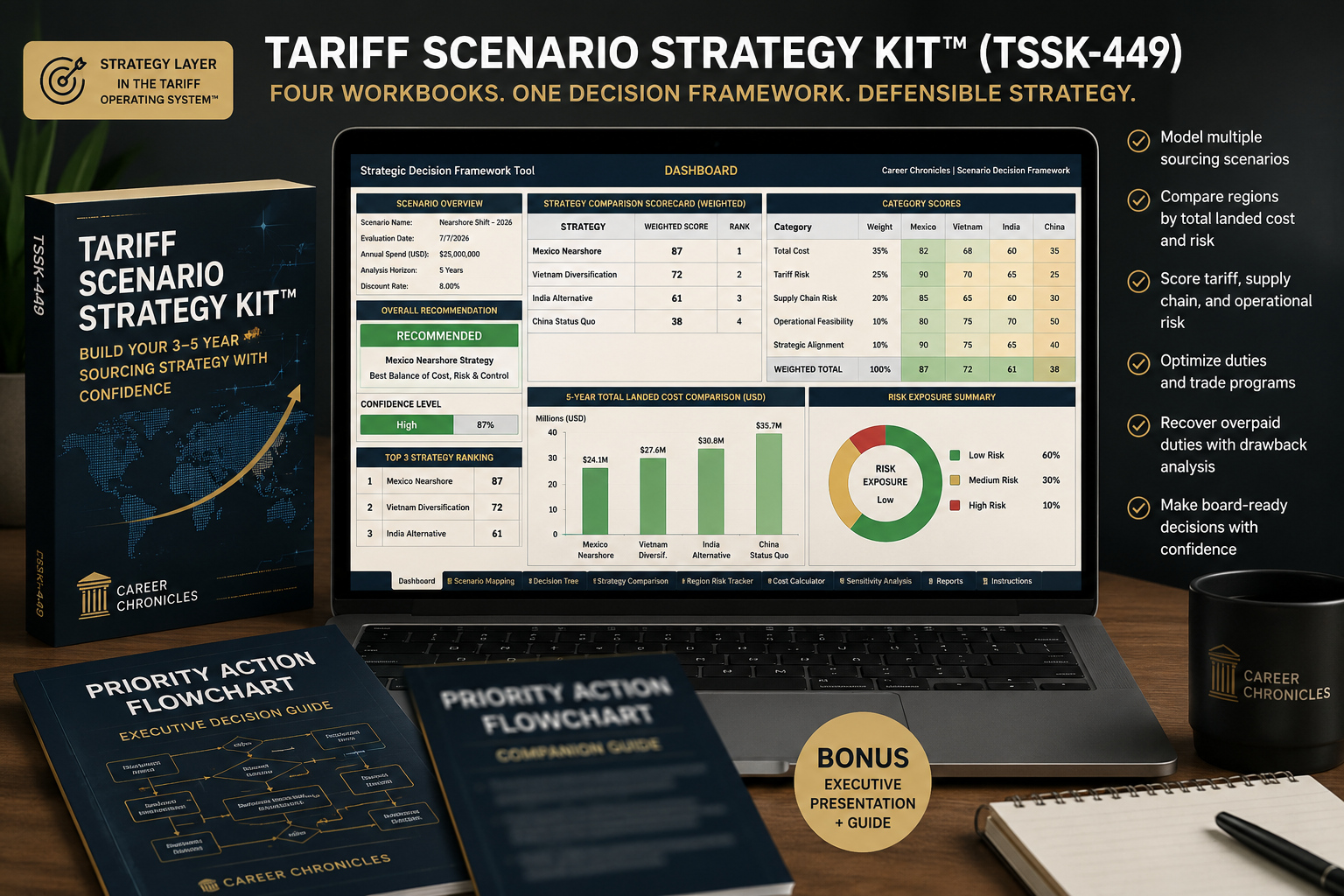
The suite is intentionally focused on visibility, not advanced strategic modeling. Three scenario snapshots provide operational insight while keeping deep, multi-year scenario planning in the next tier -- the Tariff Scenario Strategy Kit™ (TSSK-449).
Does this replace consulting?
It replaces the manual reporting tasks organizations often pay consultants to perform -- assembling supplier data, landed costs, and tariff information into executive reports -- while giving your internal team direct visibility. It replaces $10K--$25K in reporting work and does not constitute legal or customs advice.
How is this different from TAF-097, TSSK-449, and TDM-1299?
TAF-097 ($97) is the data layer -- verified HTSUS 2026 rates. TIAS-199 (this suite) is the visibility layer -- dashboards, supplier risk, and exposure snapshots on that data. TSSK-449 ($449) is the strategy layer -- unlimited scenario planning and ranked sourcing decisions. TDM-1299 ($1,299) is the enterprise operating system -- analytics, compliance, and ERP integration in one connected system.
Why call it a "Command Center" instead of a dashboard?
A dashboard is something you look at. A command center is something you run a decision from. Large organizations have started forming cross-functional "trade risk councils" specifically to manage tariff volatility in 2026, but most procurement teams don't have the headcount for a standing council. The Executive Interactive Command Center™ gives one person that same view: import, Overview, decision, in that order, without a committee.
Is my data actually safe if I'm importing real workbooks into a browser tool?
It never goes anywhere, which is safer than most alternatives. The Command Center is a static file: no server, no login, no account to breach. When you click Import, your browser reads the .xlsx file directly off your hard drive and holds it in memory for that tab, the same way a browser-based Excel viewer works. Disconnect your wifi before you import and everything still works, because there's nothing to connect to. That's a test you can run yourself. It doesn't depend on a privacy policy.
Can I password-protect the Command Center before I share it with my board?
You can restrict who opens the file the same way you would any sensitive spreadsheet: password-protect it at the file or OS level, or simply don't attach the live working file to the board email. What we won't do is sell you a fake lock. A JavaScript password prompt on a static HTML file can be bypassed with your browser's View Source, so any tool that dresses that up as "bank-level security" is selling you a feeling. The Command Center is built for one person working privately. When you're ready to present, use Presentation Mode to generate the deck, and share that instead.
Will this turn into another dashboard we stop opening after month two?
Only if you stop touching the four workbooks underneath it -- and workbooks nobody updates go stale on their own, with or without a Command Center reading them. It's the front door to the four workbooks you already open when a rate changes or leadership asks a question: no separate account, no separate update cycle, no new habit to build. You import when you'd already be updating your data anyway.
Will my CFO or board actually trust numbers built in Excel?
Board decks usually get picked apart because three people pulled three exports on three different days, and nobody can say which one is current. The Executive Overview pulls every number from the same four workbooks each time you present, so what's on screen in the meeting still matches the file five minutes later. Consistency earns trust faster than a brand name on the toolbar.
Can I model a tariff rate that isn't official yet?
Yes, and that is most of the point. Section 122, Section 301, and Section 232 rates have all moved through proposal, court challenge, and revision within the same year, and waiting for a rate to become official before you model it means you're always a step behind. The "Model a New Rate" view lets you enter a proposed or expected rate and see the impact across your real supplier and SKU data immediately, so by the time a change is confirmed, you already know what it costs you. It's the same discipline as the free 90-Day Tariff Risk Calendar™, applied inside your own numbers.
Generic BI tools visualize whatever data you give them. This one is built to surface tariff exposure for procurement leaders.
| Capability | Most Dashboard Tools | Tariff Impact Automation Suite™ |
|---|---|---|
| Dashboard type | Generic BI dashboards | Procurement-specific dashboards |
| Setup | Requires custom development | Ready-to-use templates |
| Focus | Visualizes data | Prioritizes tariff exposure |
| Built for | Analysts | Procurement leaders |
| Scope | General reporting | Tariff-specific visibility |
See the Workbooks in Action
Real workbook captures across all four tools -- from the executive dashboard to the supplier risk scorecard and scenario snapshots -- kept current as the suite is updated.


One Step in the Tariff Operating System™
You're not buying a standalone dashboard -- you're buying into a methodology. The Visibility tier is where clean data becomes a picture leadership can act on.
You Already Have
- Verified HTSUS 2026 rate data
- Response checklists & briefing decks
- Clean import data ready to analyze
Now You Gain
- Executive tariff exposure dashboards
- Supplier risk heat maps & alerts
- Landed cost & financial impact snapshots
- Up to three tariff scenario snapshots
Who Uses the Impact Automation Suite
- ◆ Procurement directors
- ◆ Supply chain managers
- ◆ CFOs & finance teams
- ◆ Import managers
- ◆ Sourcing professionals
- ◆ Manufacturers & distributors
Tariff Impact Automation Suite™ -- TIAS-199
Visibility Tier -- Four-Workbook Tariff Exposure System
- ✓ Dynamic Tariff Dashboard (12-tab Excel)
- ✓ Supplier Risk Alert ScoreCard (11-tab Excel)
- ✓ Tariff Scenario Planner Workbook (14-tab Excel)
- ✓ Status Tracker + Task Matrix (9-tab Excel)
- ✓ Bonus: Executive Summary Stakeholder Report template + guide
- ✓ Sample Data Input tabs + standardized Icon Key on every workbook
- ✓ TAF-097 HTSUS 2026 integration + ERP Import Guide (or manual entry)
- ✓ Walkthrough User Guide + User Guide PDF
Immediate download. No subscription. Works in Excel, Google Sheets & LibreOffice.
Important: This suite supports internal tariff visibility, supplier analysis, and executive reporting. It does not determine legal eligibility, guarantee outcomes, or replace review by a licensed customs broker, customs attorney, or qualified trade advisor. Always verify official HTSUS rates at hts.usitc.gov.
“I had to find out if our AFE was going to be shote We got $98,000 back from avoiding a sourcing risk”

— PM
U.S. Consumer Goods Importer
Finally, something that explains without a lawyer. It’s all there checklists, calculators, and the dashboard gave us real answers.”

Sourcing Director
Automotive Firm
TAF-097 is the data backbone for TRS-197. Paste 3,327 verified HTSUS 2026 rate lines into the Tariff Rates tab and every HS Code lookup across your new workbook — Data Input, all 4 Section Trackers, the Refund Scenario Forecaster — auto-fills Tariff Rate and Product Category instantly. Zero formula changes required.
- ✓ 3,327 verified HTSUS 2026 rates — vs. the 372 built into TRS-197 alone
- ✓ Auto-fills Tariff Rate + Product Category across every tab, every entry
- ✓ Eliminates manual HS Code rate lookup entirely